iPhone and iPad
Just say it.It's already logged.
One sentence fills in the amount, category, ledger and currency.Shared ledgers sync in real time, so you always know who spent what.
For iPhone and iPad
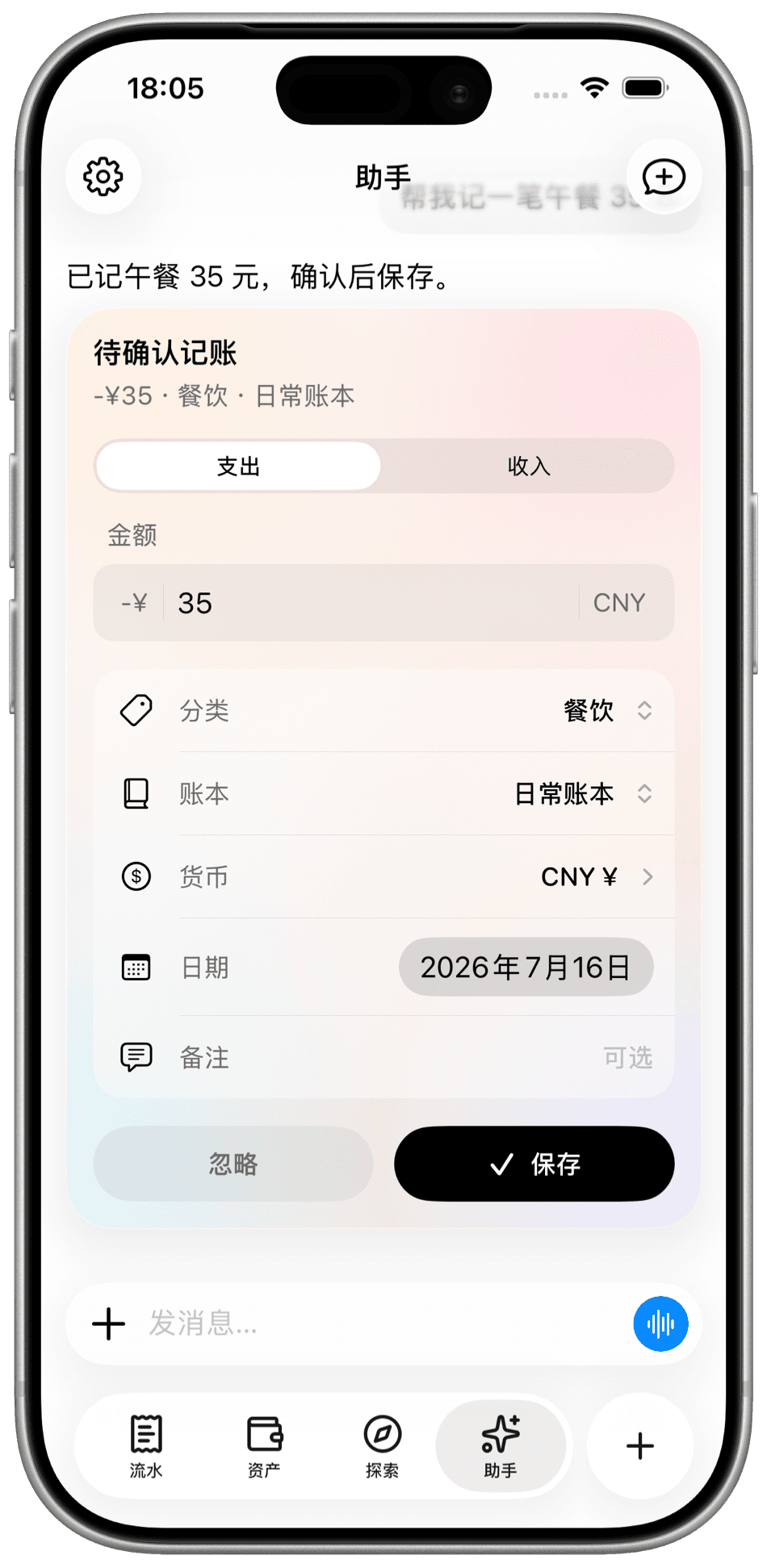
Just ask. Say "log 35 for lunch" and the assistant fills in the amount, category, ledger, currency and date for you to confirm. Use your voice, and keep the conversation going to adjust it.
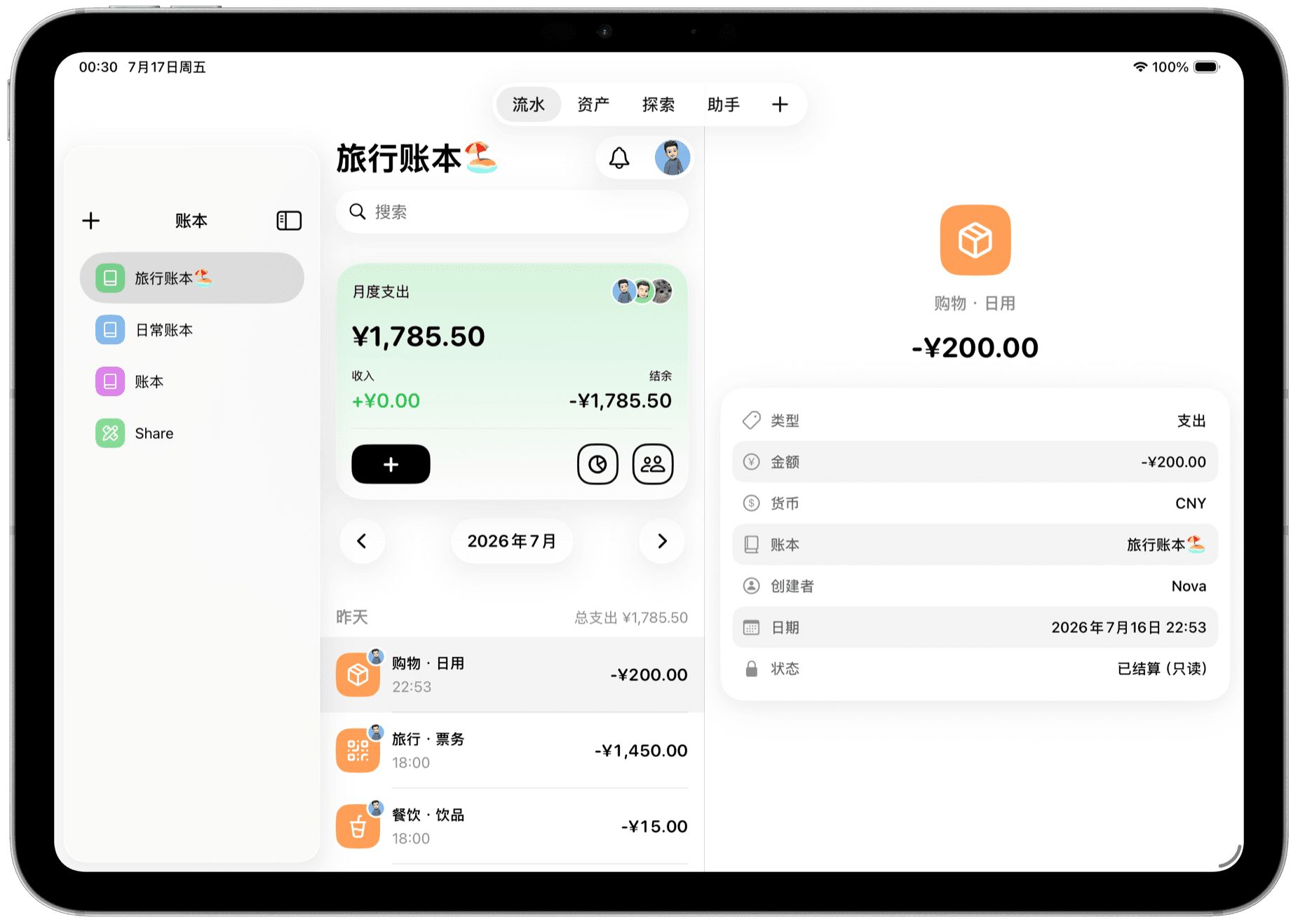
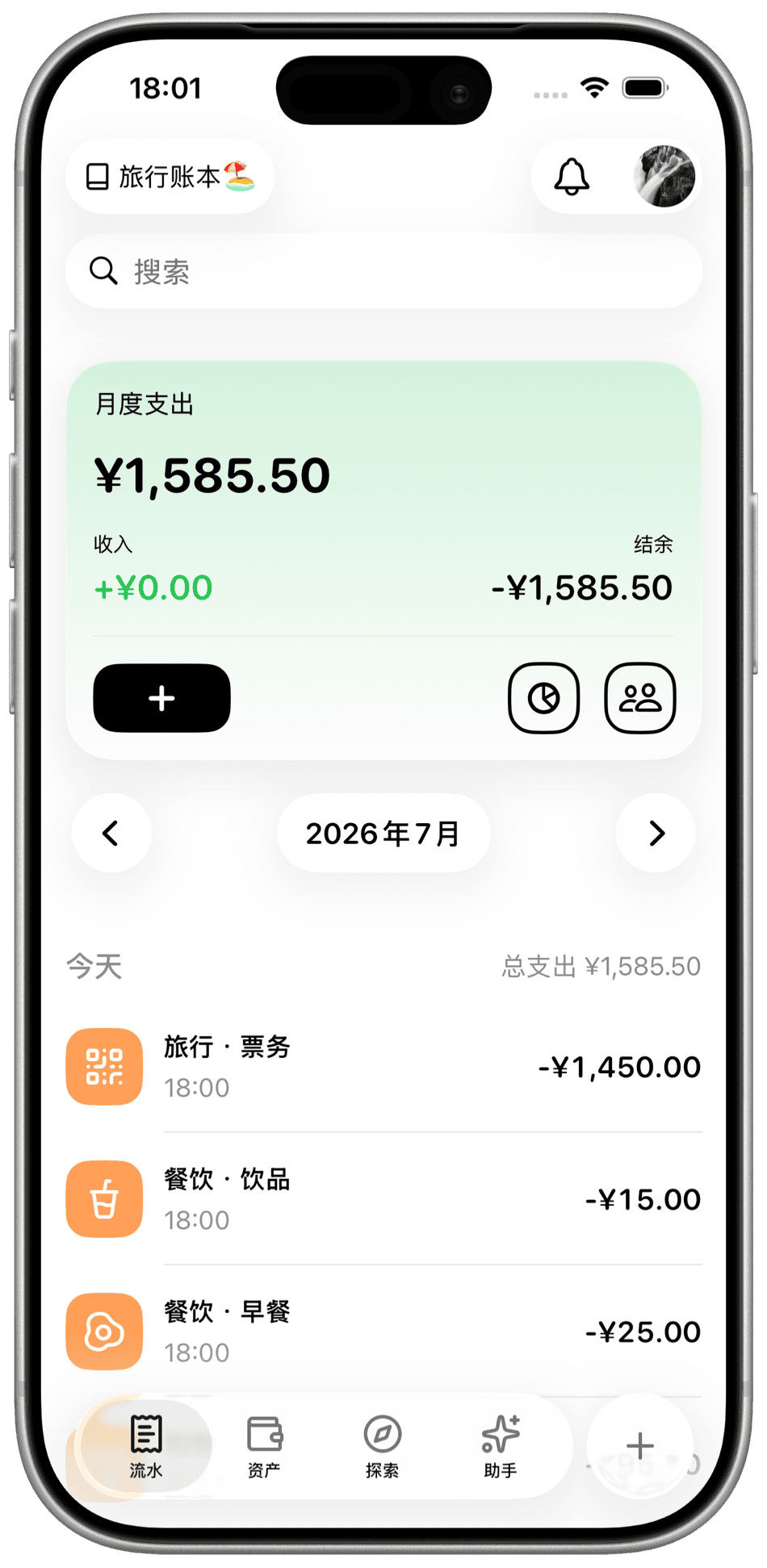
Every entry, at a glance. Monthly spending, income and balance stay summarized at the top. Move month by month through every entry with its category and time, and search to find any one of them.
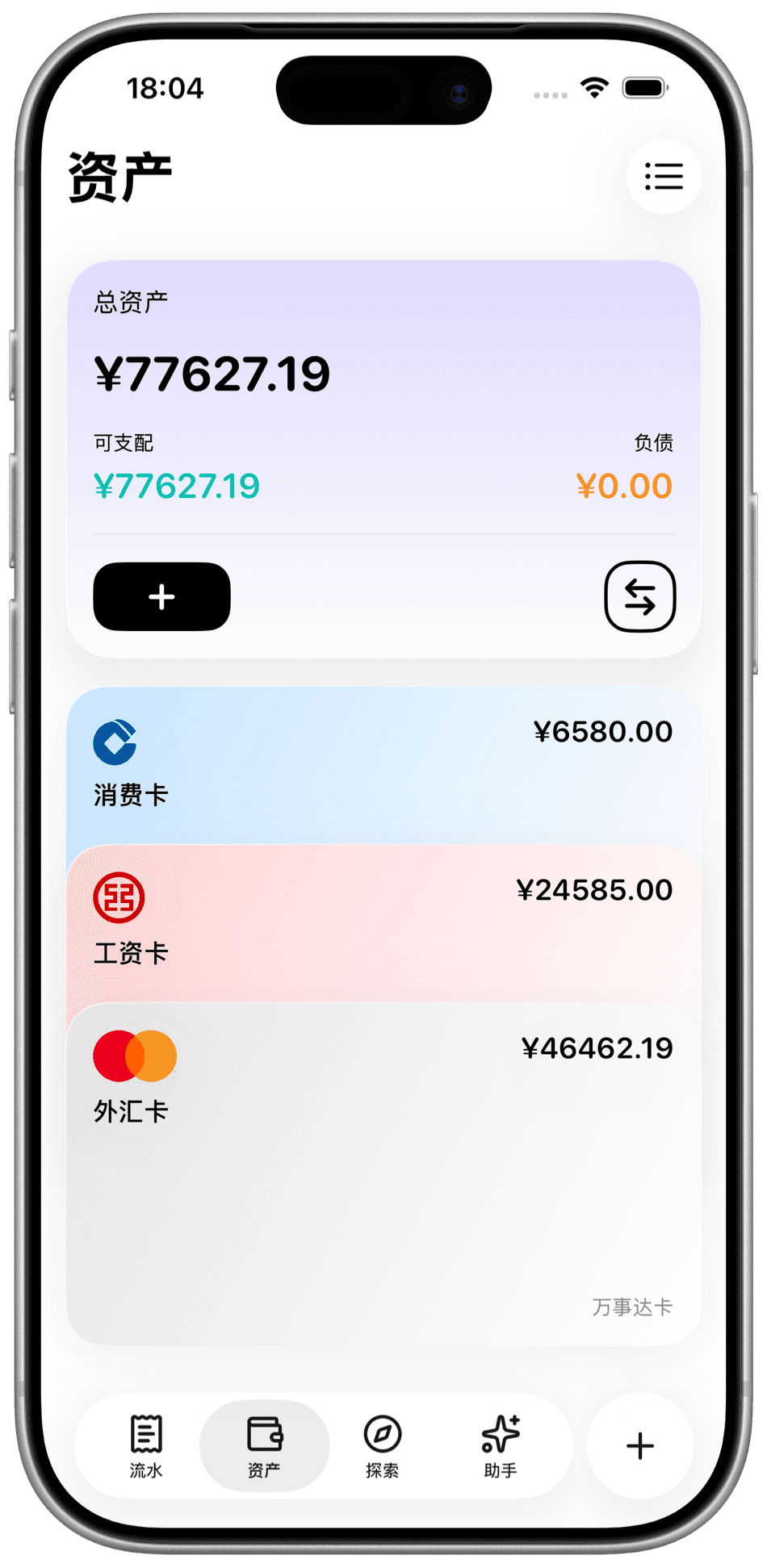
All your accounts, added up. Bring in your everyday card, salary card and foreign currency card. Net worth, available balance and liabilities are calculated for you, and you can transfer between accounts directly.
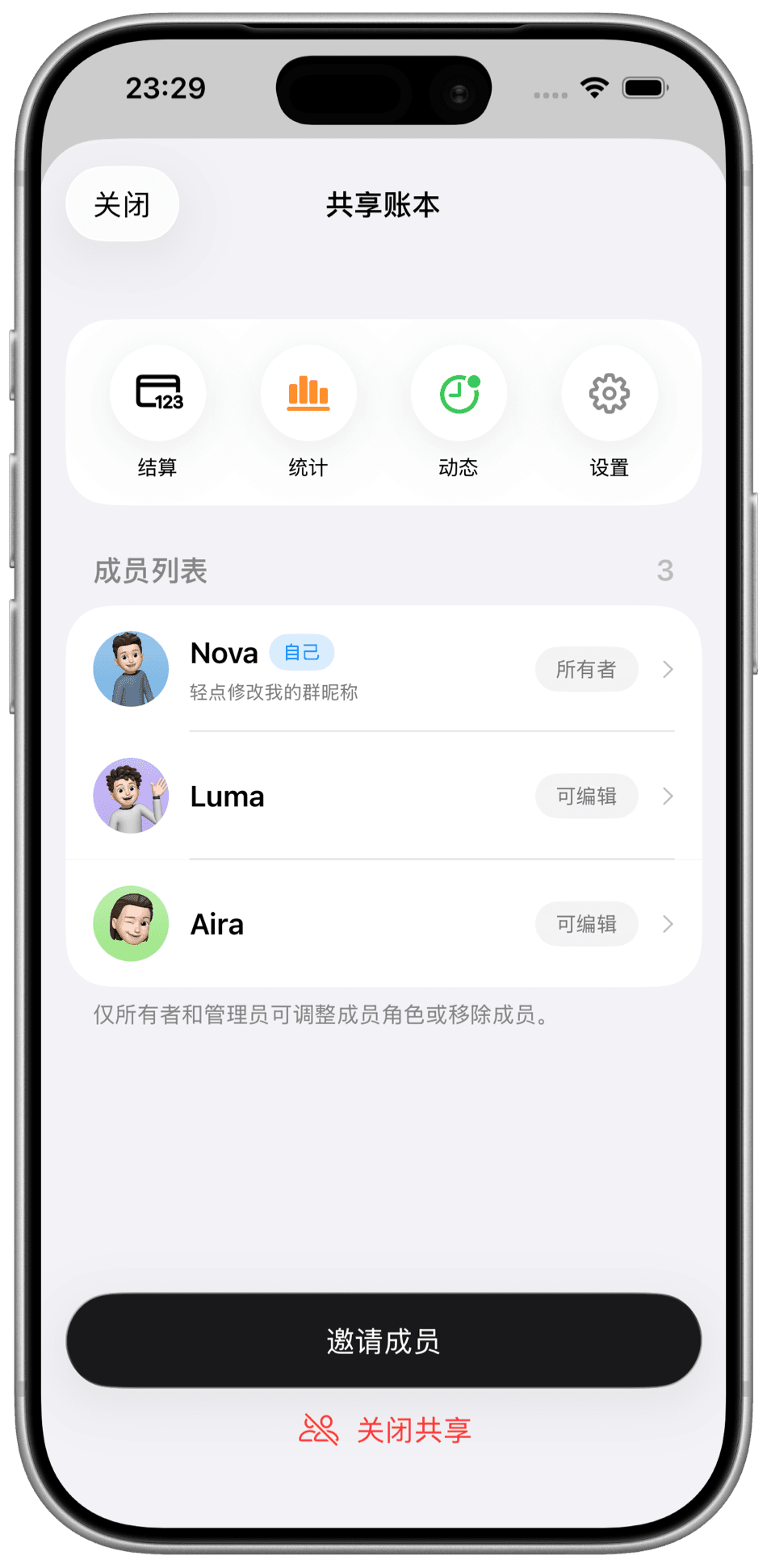
Keep the ledger together. Invite people into a shared ledger and every entry shows who logged it. Get real-time notifications when entries are created or edited, and review the changes in activity.
And so much more.
Multiple ledgers. Keep a trip separate from everyday spending. Switch between them from the sidebar, and share just the one you want.
Multiple currencies. Pick a currency per entry. Foreign currency accounts are converted alongside the rest, so your net worth is always a single number.
Stats and Explore. See where the money actually goes by category and over time. In a shared ledger you can also see the spending of each member.
Settle up. When a trip ends, settle the period in one step. Settled entries become read-only, so the books stay the way you left them.
Members and roles. Owner, editor and viewer roles, with a link to invite anyone. Only owners and admins can change roles or remove members, and sharing can be turned off at any time.
Made for iPad. Ledgers, entries and details sit side by side on one screen, so you can log and review at once. Everything syncs between iPhone and iPad.
Start free. Upgrade when you need to.
Everything you need to keep the books is free. Pro raises the limits and unlocks the extras.
| Feature | Free | Pro |
|---|---|---|
| AI assistant | 10 messages / week | 100 messages / week |
| Ledgers | 2 | Unlimited |
| Accounts | 3 | Unlimited |
| Shared ledgers | 1 | 5 |
| Members per shared ledger | 3 | 10 |
| Stats time ranges | Day / Week | Day / Week / Month / Year |
| Export and import | Not included | Included |
| Ledger cover image | Not included | Included |
A shared ledger's capacity follows its owner's plan, and the member count includes the owner. Plans and pricing are shown in the App Store.